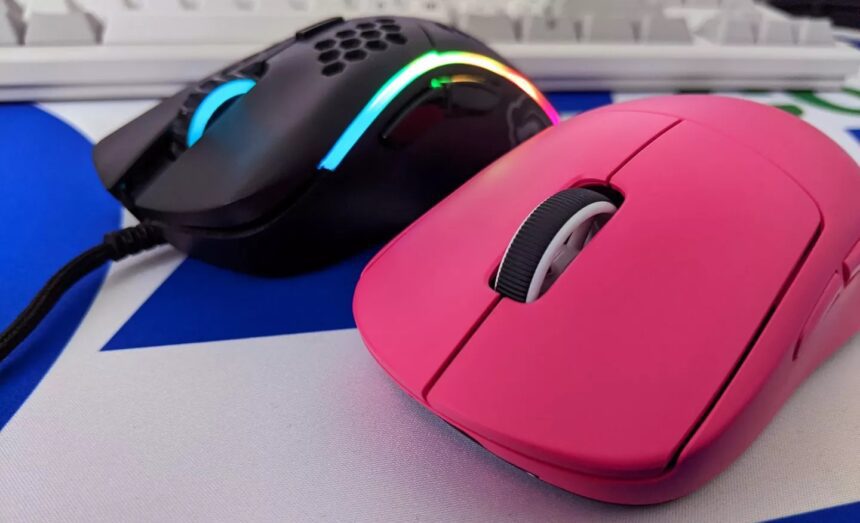
Frequently, users overlook the importance of selecting computer peripherals, such as keyboards and mice, often choosing these accessories randomly or based solely on their looks. However, a high-quality gaming mouse isn’t just beneficial for professional gamers. Its ergonomic design greatly enhances the comfort of computer use for any task. The key is to select the best model tailored to your gaming preferences and other considerations. In the following, we will explore the crucial criteria for making this choice.
Fact No. 1
The shape of a mouse and its suitability for you accounts for 95% of your success in using it. The remaining factors, such as the sensor, acceleration, mass, etc., do have an impact, albeit a minor one. Yet, there are other elements to consider.
Fact No. 2
A wired connection is often considered superior to wireless. However, when it comes to mice, the choice for wireless is clear.
While detailed comparisons from various rating sources show the response time differences, in a typical room setting, the latency variance between wired and wireless mice is minimal—about 1-2ms—for models that offer both connectivity options. A high-quality wired mouse will have comparable latency to an average wireless one. Generally, this difference is within the margin of error. In practical terms, a 1-2 ms difference is imperceptible, even for professional gamers, often referred to as ‘pros’. Interestingly, about 90% of professionals opt for wireless mice.
Fact No. 3
Frequencies above 1000 hertz are often considered a marketing ploy to warm up consumers.
The time difference between 1 kHz and frequencies of 2-8 kHz is less than 1 millisecond. Once again, it’s attractive marketing with little practical significance.
Returning to the main topic of the post
Selecting a wireless mouse that fits your hand is crucial. We would suggest opting for one with a 3395 sensor for its reliability and affordability. Here are my personal recommendations:
- Lamzu Atlantis | This mouse is incredibly comfortable and lightweight, making it our go-to choice.
- Lamzu Thorn | Although its shape wasn’t to our liking, those who prefer ergonomic mice might find it appealing.
- Ardor Gaming series | Out of the three we tested, the Ardor Gaming Phantom Pro stood out. It’s a budget-friendly alternative to the Logitech G Pro X Superlight, offering similar quality.
Remember, the most important factors are the mouse’s shape and how it complements your skills. Comfort with a particular model like the A4tech Blady doesn’t guarantee that a switch to a higher-end mouse like the Logitech G Pro X Superlight will significantly improve your performance.
As for the top-tier mice:
- Logitech G Pro X Superlight | Overpriced at $150, it performs like a $50 mouse. Only consider it if the budget isn’t a concern.
- Razer Deathadder V3 Pro | Its shape didn’t suit us.
- Pulsar X2 | Also not a good fit for us.
For mousephiles
Debates rage over which mics are superior, optical or mechanical; comparisons are drawn between Huano blue dot and Kailh 8.0; heated discussions erupt over the merits of a mouse weighing 55 grams versus 52 grams. However, we urge you not to get caught up in these details. From our experience, it’s akin to debating the choice of wooden stands for audio cables.