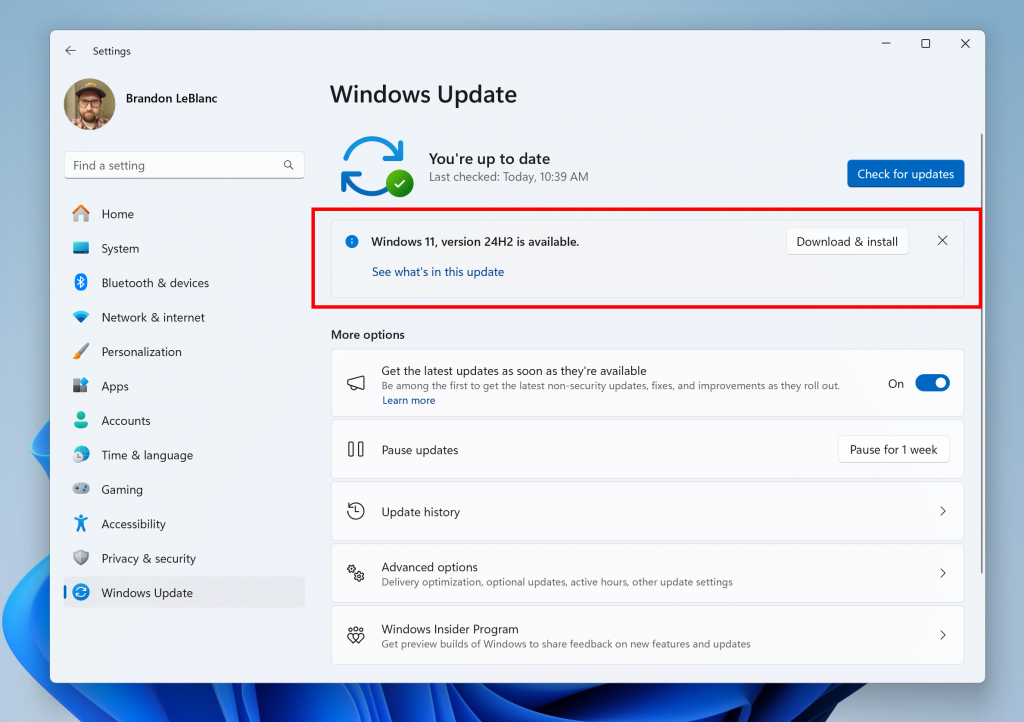
Those eager to test the latest major update of Windows now have the chance. The Windows 11 24H2 update is currently accessible through the Windows Insider Program Release Preview ring.
This allows any Windows 11 user to opt into the Insider program via the Windows Update settings by choosing the appropriate ring to download and test the new build. The Windows 24H2 update will remain in this testing phase for several months, with its official release anticipated later in 2024.
What’s new in Windows 11 24H2?
Windows 11 24H2 is set to introduce a plethora of changes and new features across the operating system. For all users, the 24H2 update will enable HDR photo support for desktop backgrounds. Additionally, it will overhaul energy modes, introducing an Energy Saver option for laptops that lowers PC performance to maximize power savings and extend battery life.
Developers will welcome the addition of the sudo command, allowing command execution with elevated privileges, akin to Mac and Linux systems. The 24H2 update also brings the ability to create 7-zip and TAR compressed files directly from File Explorer. Moreover, the Taskbar will gain a new Settings flyout menu for quick access to frequently used settings.
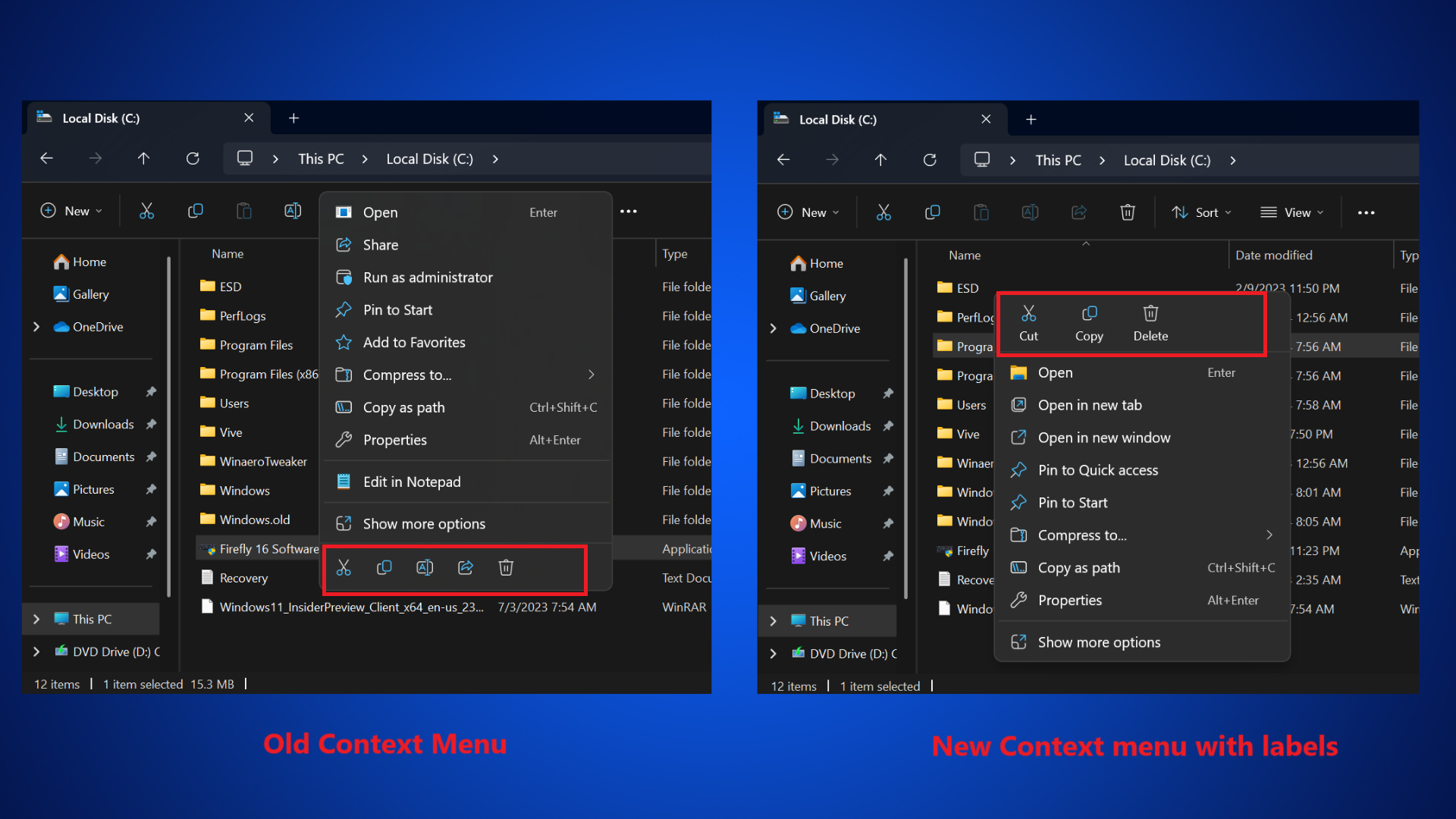
Further enhancements include support for Wi-Fi 7, improved Bluetooth® Low Energy Audio device connectivity, integration of Rust into the Windows kernel, and updated Copy-Paste icons in context menus.
Simultaneously, Windows 11 24H2 will signify the advent of AI computing. Consequently, a system equipped with NPU hardware will have the capability to perform the following tasks:
- Thanks to the Recall function it will remember everything the user does and sees.
- Copilot AI will be able to see and recognize what you see and do on your screen.
- It will be able to translate everything heard in real time with Live Caption translations.
- It will be able to upscale any video with Auto Super Resolution.
- It will be able to produce images and text with Cocreator
- It will have more advanced Windows Studio Effects