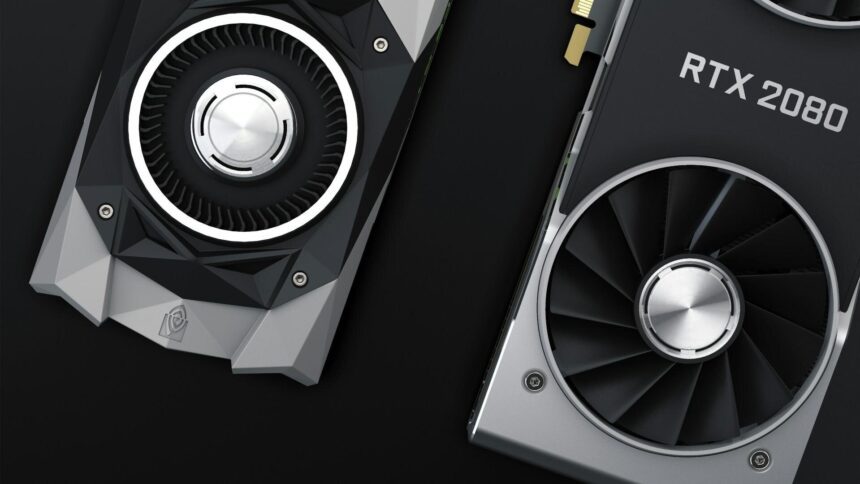
Machine learning and artificial intelligence have become prominent technological trends in recent years. Nowadays, smart speakers converse with users on various topics, and streaming services can curate the perfect playlist with just a few clicks. Gaming has also advanced; with DLSS technology, images in games are rendered smoother and with greater detail. This technology is now implemented in both blockbuster AAA titles and budget indie games. In this article, we will demystify DLSS and discuss its role in gaming.
What is DLSS?
DLSS, or Deep Learning Super Sampling, is more accurately described as an upscaling technique rather than just an anti-aliasing technology. In essence, DLSS employs artificial intelligence to upscale an image from a lower to a higher resolution chosen by the user. This process boosts performance by offloading intensive computations to NVIDIA’s specialized Tensor Cores, without compromising the image’s sharpness.
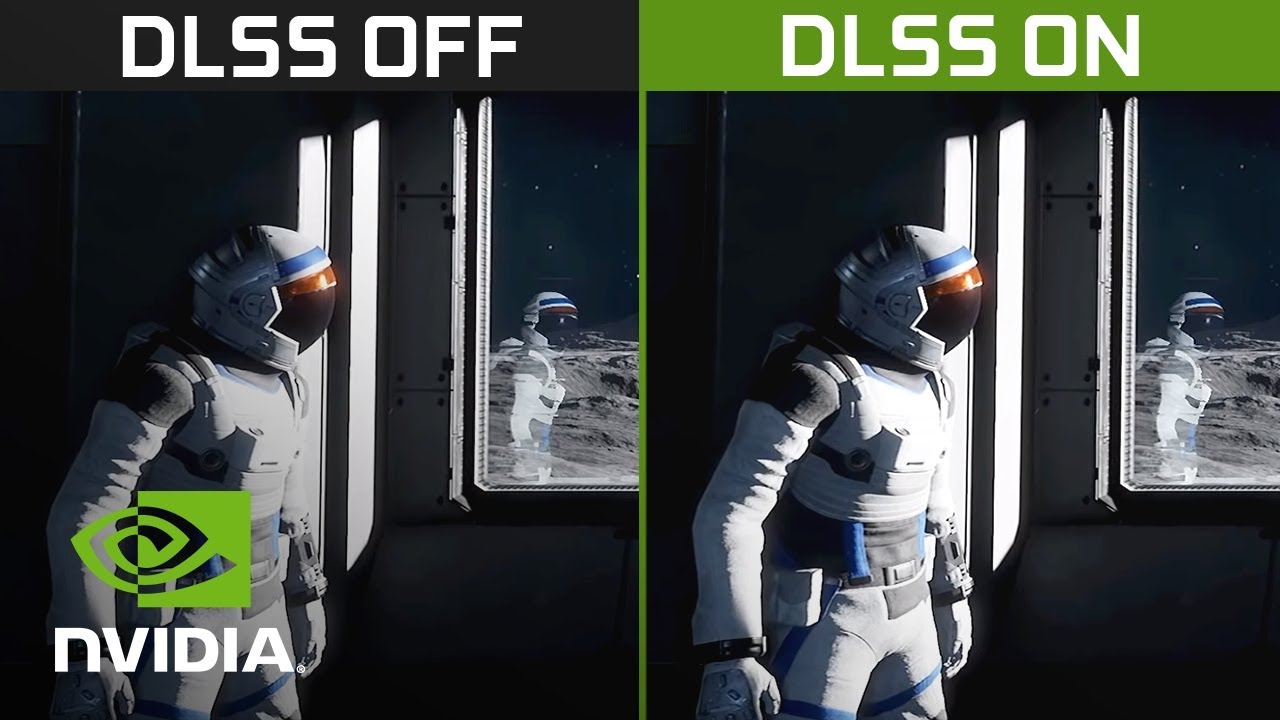
Incidentally, the process has expanded beyond mere scaling, rendering the abbreviation DLSS somewhat inaccurate. The discussion will continue to cover additional benefits of DLSS and the technologies involved later in the text.
DLSS 1.0 Features

The initial version of DLSS was flawed. It required individual integration for each game, often yielding unsatisfactory results. The training was conducted using the SATURNV supercomputer, with the resulting data forming the foundation for driver updates. During each training session, inconsistencies in visual effects like particles adversely impacted the AI’s learning process. A significant limitation was the technology’s support for only specific resolutions, allowing for an increase from 720p to a maximum of 1080p in the first iteration.

Features of DLSS 2.0
DLSS 2.0 utilizes temporal anti-aliasing to construct new frames from preceding ones. The neural network’s enhancements have simplified the integration of DLSS 2.0, improved scaling quality, and eliminated the need for individual game processing via a supercomputer.
The advanced AI model can detect movement, define sharp edges, and adapt to lighting changes. This represents the current standard of DLSS technology. Furthermore, DLSS 2.0 allows for upscaling from lower resolutions than before, such as achieving 1080p from 540p, which is the reason for the introduction of “quality”, “balance”, and other presets in the settings.
What is DLSS 3.5 and Frame Generation
DLSS has evolved to version 3.5, now capable of generating frames and reconstructing ray traces. Although these are distinct technologies, they have been unified under a single brand.
Frame Generation
Frame generation simplifies the process | artificial intelligence analyzes two adjacent frames and generates the intermediate one. This increases the frames per second for the user, but also the response time. NVIDIA Reflex, a low-latency system, is designed to address this issue.
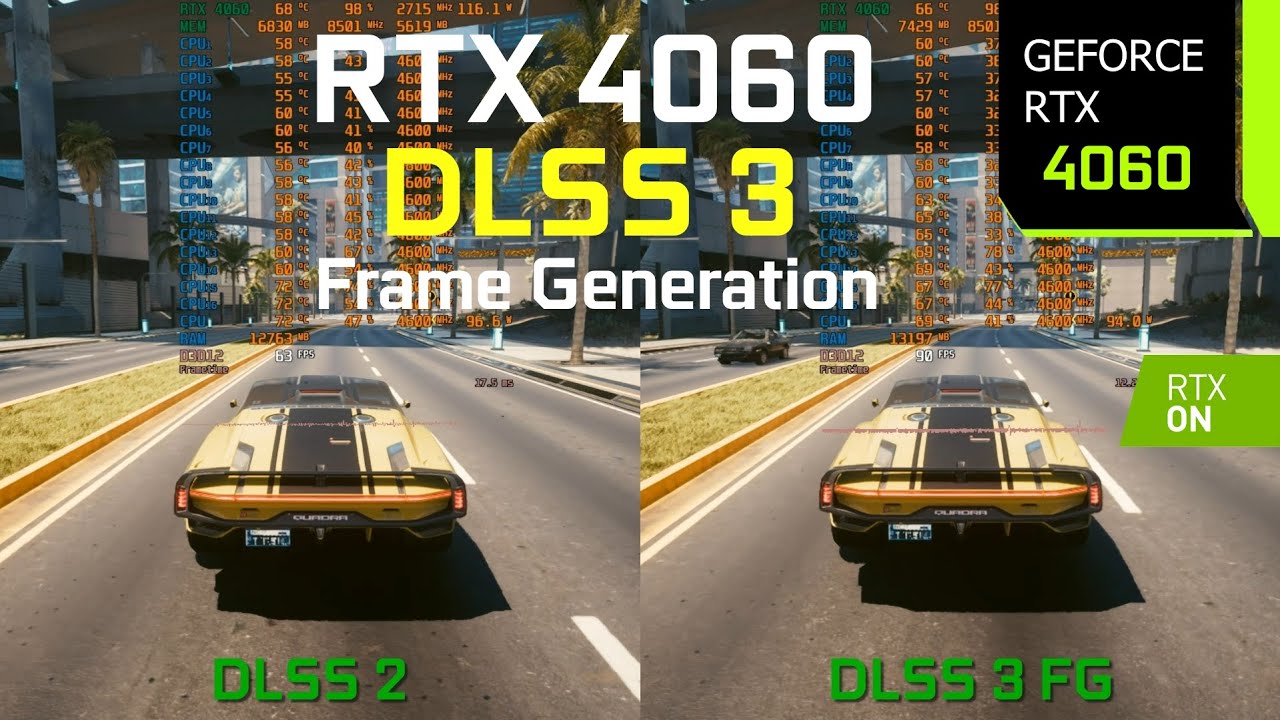
Currently, personal generation technology is quite contentious. It not only increases input lag but also introduces noticeable artifacts, particularly at lower resolutions. Additionally, frame generation is exclusively available on NVIDIA RTX 40-series graphics cards.
Ray tracing reconstruction
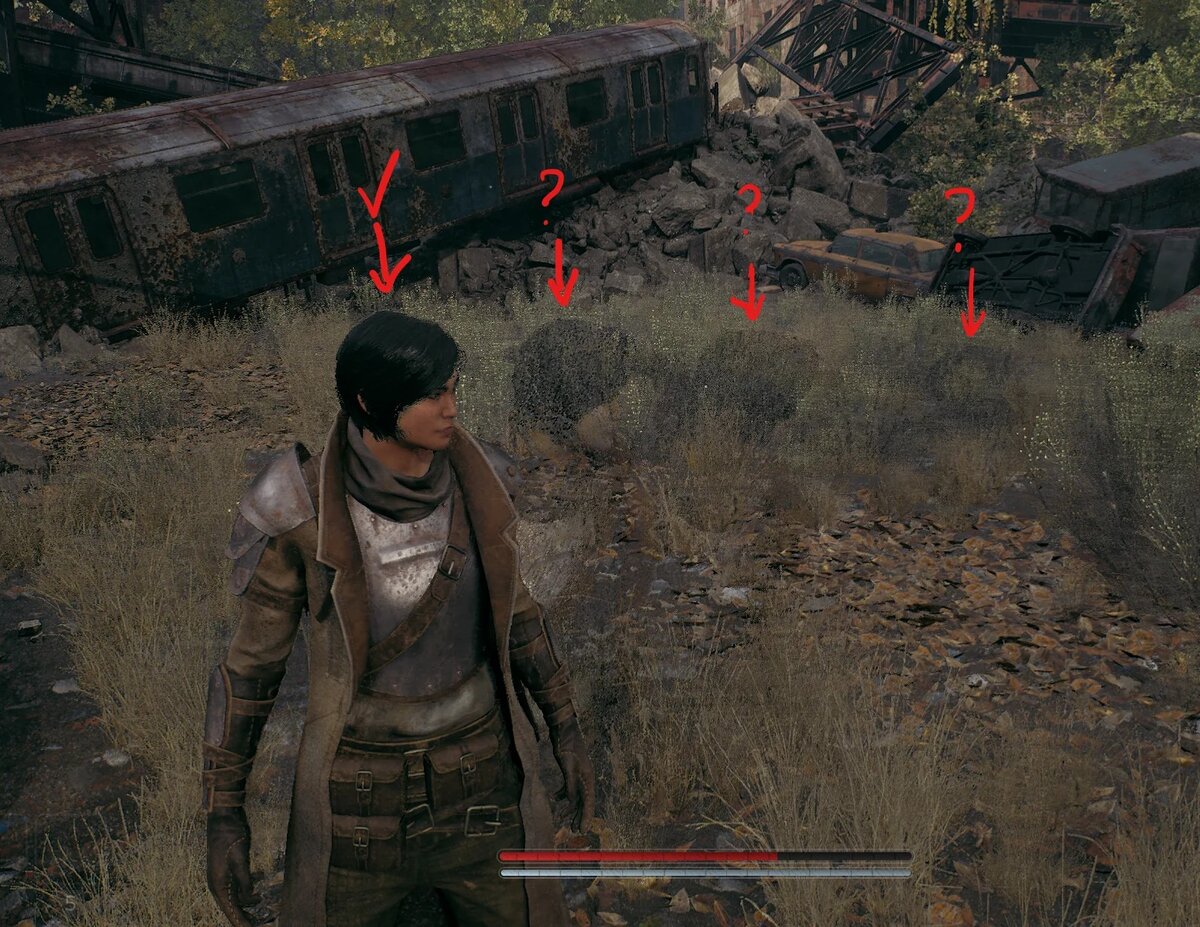
DLSS 3.5 incorporates ray tracing reconstruction technology, significantly reducing the load on the graphics card as ray tracing remains a highly resource-intensive task.
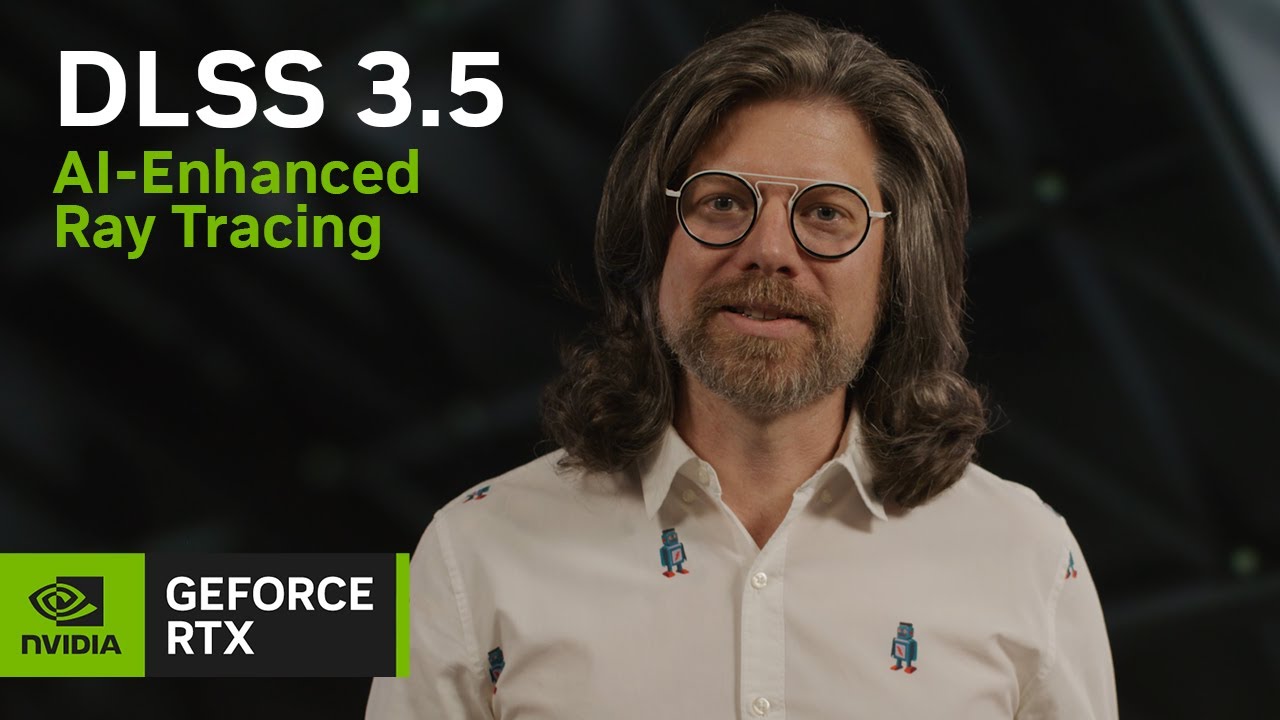
In the video, the NVIDIA specialist mentions that ideally, each pixel of every object in the scene would have a separate beam. Currently, this is unfeasible, and the images post-tracing are grainy. To address this, developers have devised various techniques. Among them are Denoisers, which significantly reduce noise levels. Nonetheless, they can produce undesirable artifacts, such as leaving trails behind moving objects, removing global illumination in some regions, and blurring reflections.
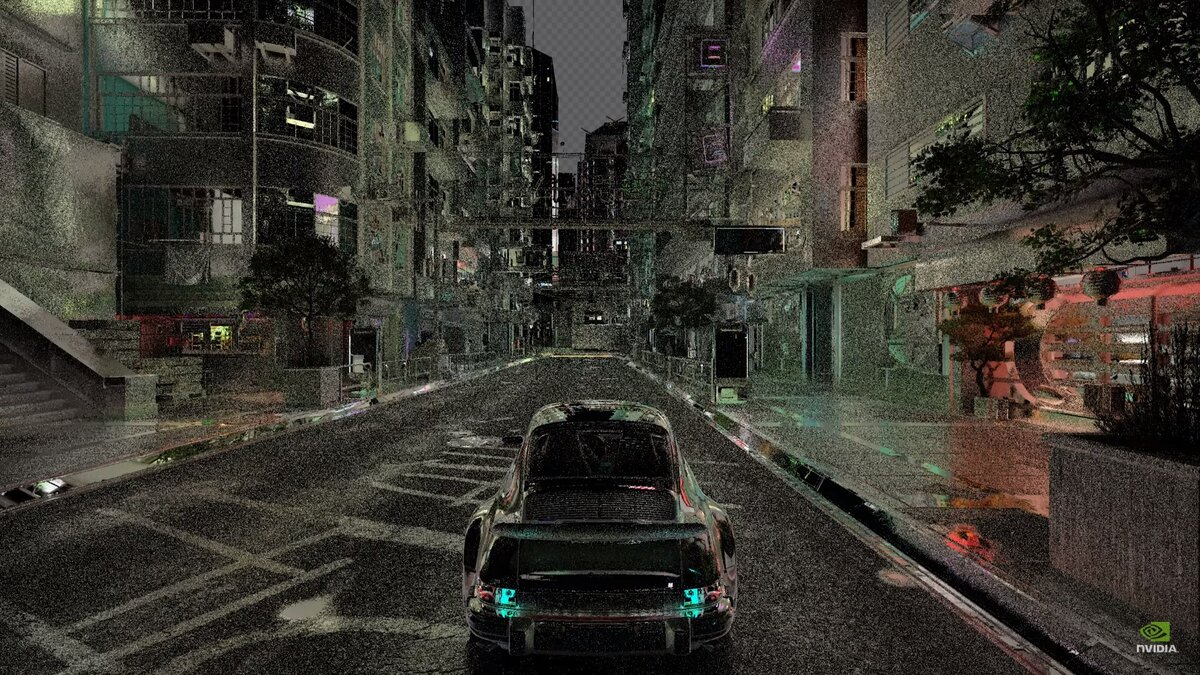
DLSS 3.5 has shown us how to harness the strengths of both upscalers and denoisers. The technology now differentiates between various traces, assesses the pixel information quality gathered by the rays, maintains the integrity of the zoom, and identifies patterns that are intrinsic to the physical processes within the scene.
DLSS Alternatives
Competition never rests. AMD and Intel are diligently crafting their scaling technologies, FidelityFX Super Resolution and Xe Super Sampling, respectively. NVIDIA has surged ahead with the launch of DLSS 3.5, yet this does not guarantee its perpetual leadership in the industry.
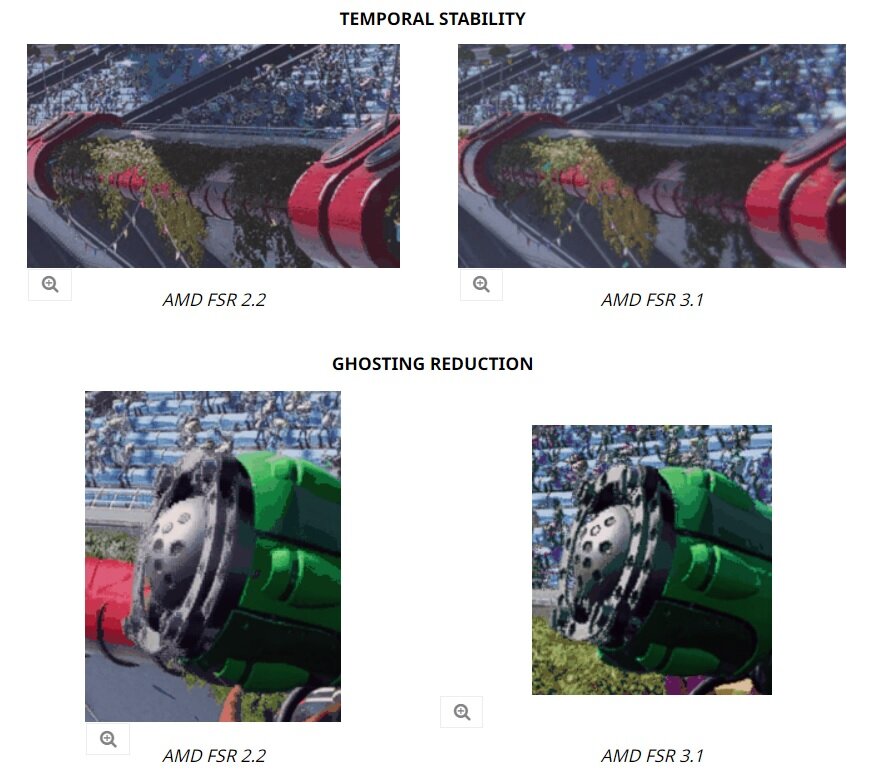
In 2024, AMD launched FSR 3.1, featuring enhanced mechanisms to eliminate ghosting, improved stability in temporal anti-aliasing, and the separation of scaling from frame generation. Significantly, FSR 3.1 is designed to function alongside DLSS.
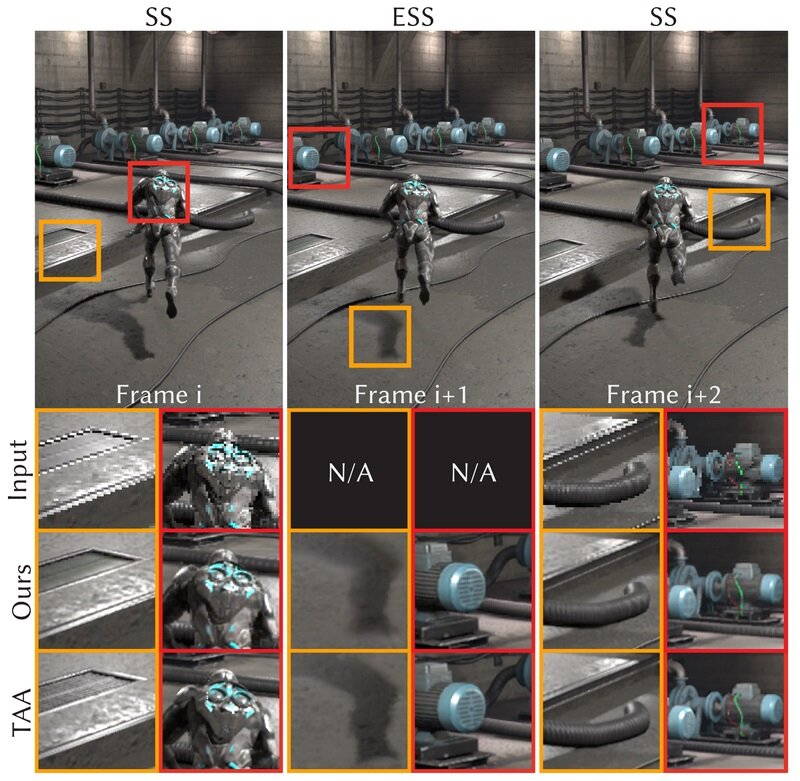
The benefits of XeSS include its open-source nature and compatibility with numerous GPUs. Intel has also launched its ExtraSS frame generation technique, which relies on frame extrapolation. This approach allows the AI to gather information not just from adjacent frames but also from various elements within the scene. While this reduces latency, it raises the risk of visual artifacts. However, Intel promises to address these issues using a specialized deformation system.
What is the result
DLSS effectively enhances FPS and continues to evolve. For instance, in Final Fantasy XV, an early adopter of the technology, the FPS increase ranged from 5 to 15 frames per second. Now, DLSS 3.5 in Cyberpunk can add several dozen frames under certain settings.
However, the more refined and optimized graphics you desire, the higher the cost. Ray reconstruction and frame generation typically function only with RTX 40 series graphics cards. While it’s hard to label Reflex as a mere workaround, which reduces latency and is often enabled by default, without such innovative solutions, artificial intelligence wouldn’t operate effectively.
Trailing NVIDIA, AMD with its FidelityFX Super Resolution, and Intel with its nascent XeSS are making strides. This competition is bound to benefit gamers of all budgets.
Frequently Asked Questions
Do I need to enable DLSS in my games?
If the current frames per second and image quality satisfy you, there’s no need for changes. However, if you’re looking to increase FPS, simply enable it and select the preset that best fits your needs.
What is the difference between DLSS 3 and DLSS 2?
The third version introduces more useful functions, including frame generation and a system to reduce response time, which has consequently increased. The zoom function remains unchanged.
How do I put DLSS in games that don’t have it?
Custom mods can be beneficial. Users familiar with the latest versions of DLSS are incorporating the technology into projects where it wasn’t originally included. For instance, a mod has been created to implement DLSS 3.5 scaling in Elden Ring. The range of games and technologies available is extensive, yet access to these mods requires a paid subscription.
Which is better DLSS or FSR?
If you possess an NVIDIA RTX graphics card, DLSS is the superior choice. Generally, with all other factors being equal, FSR algorithms perform less effectively and tend to yield a blurrier image, although the quality of FSR has significantly improved of late. Should your graphics card lack DLSS support, utilizing FSR or XeSS is a viable alternative, as these technologies also enhance performance.